Highlights
- Click inside a room to fill and measure it
- Measure a repeated unit once and place linked copies
- Send your quantities into your own Excel template
- Restore any version of a plan from the last 30 days
- A better way to get help, right in the app
Fill a Room with One Click
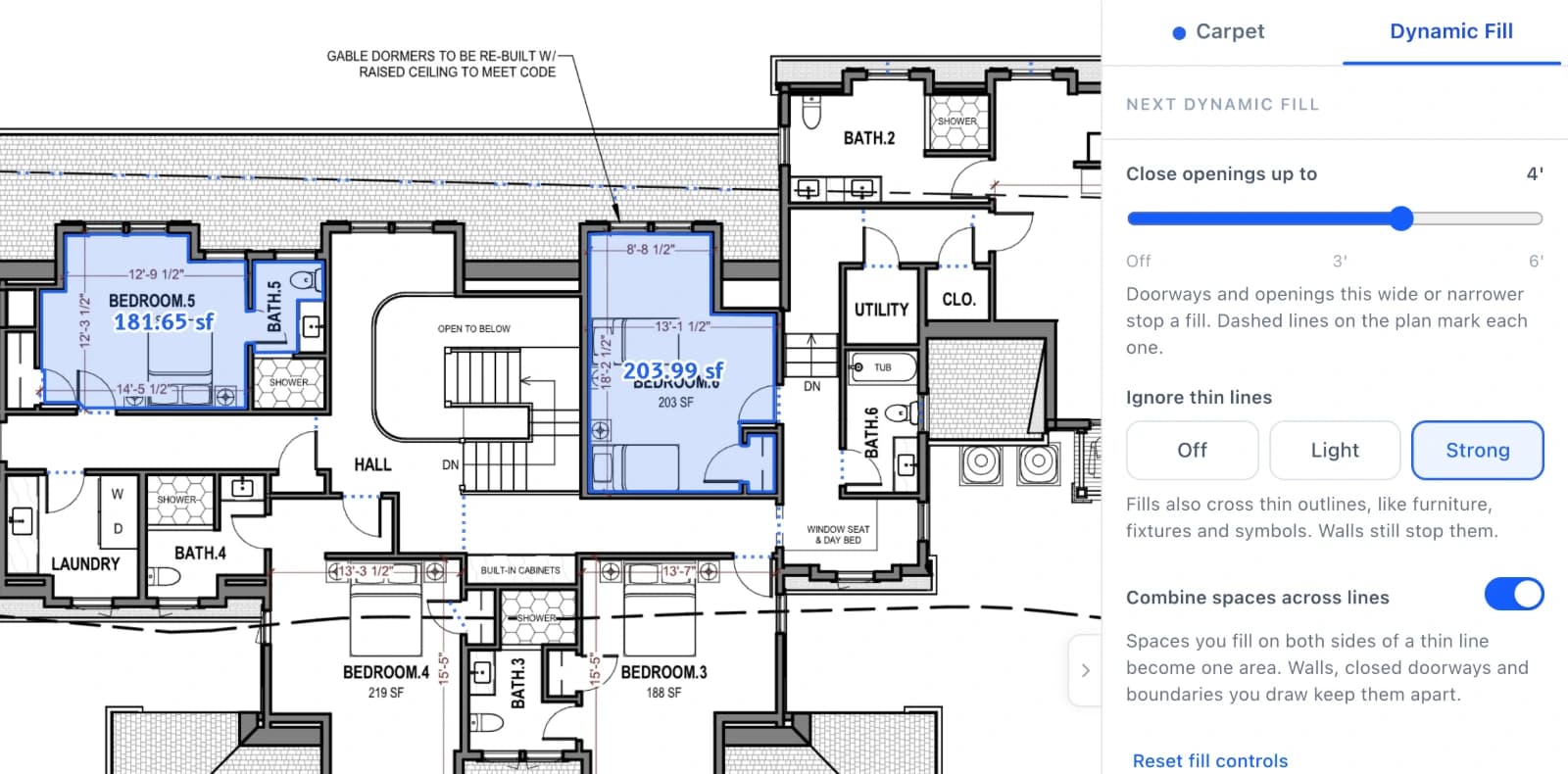
Choose Dynamic Fill from the area tools and click inside a room. Easy Takeoffs finds the walls and measures the whole space, closing doorways up to the width you set and, if you like, looking past furniture and fixtures. Click as many rooms as you need, then add them all at once. Each one becomes a regular area you can edit.
Measure It Once, Repeat It Everywhere
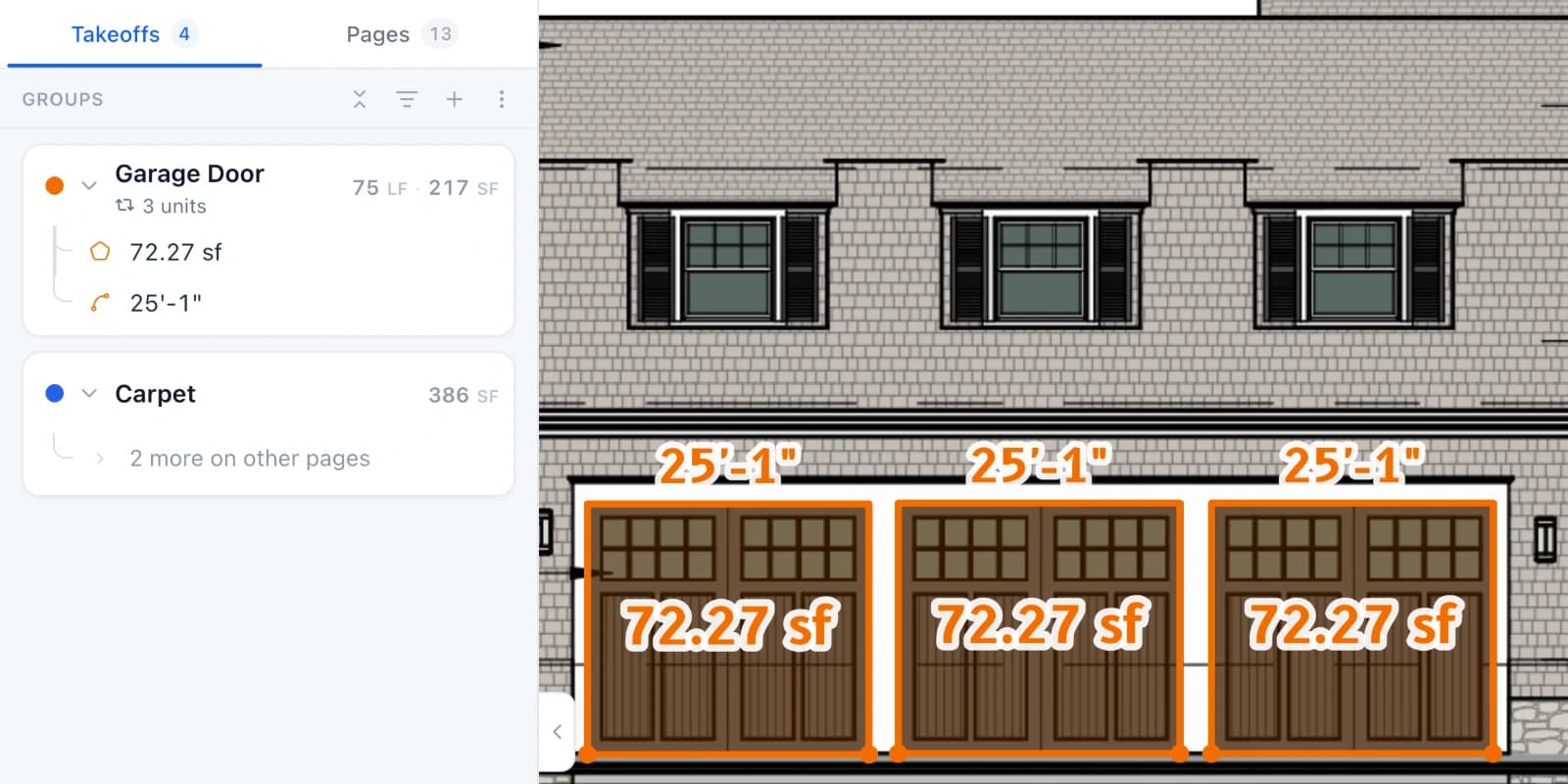
When a plan repeats the same unit, like apartments, hotel rooms or garage doors, measure it once and choose Make repeating group from its group menu. Click Add more units, then click each place it repeats. Every copy stays linked to the one you measured, so one change updates them all and your totals count every unit. For floors the sheet doesn't show, type the number of units instead.
Fill Your Own Excel Template
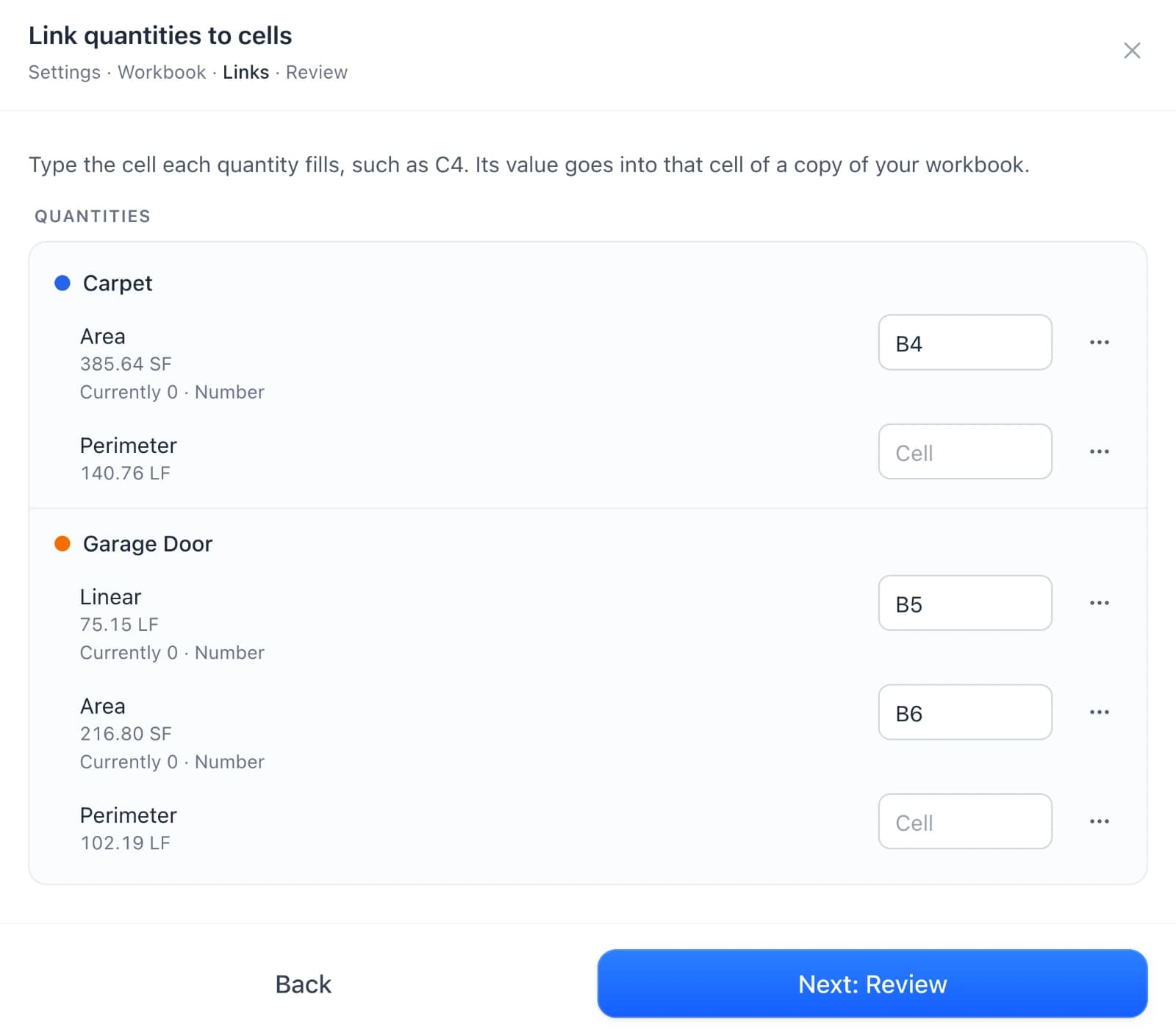
In Export, choose Excel Template, pick your own estimating workbook, and type the cell each quantity goes into. You download a copy with your quantities filled in and your formulas and formatting kept. Save the links as a setup to use them again on the next project.
Also New
Version history. Every plan keeps its earlier versions for 30 days. Click Saved at the top of a plan to open its history and restore one. If the same plan changes in two places at once, one window shows both versions and you pick which to keep.
Revisions, sheet by sheet. Upload just the sheets that changed, or a set split across several PDFs, and review it all before it becomes the current set. Then mark takeoffs reviewed as you check them.
Pick the pages you export. Choose sheets from thumbnails when you export a PDF or CSV.
Curves that follow the drawing. Turn on Curve trace while drawing and click along a curb or curved wall, or select a line you traced in short straight pieces and choose Smooth through points.
Count pieces per measurement. Set a group's calculation to Per measurement to count whole pieces for each measurement, like two end caps on every gutter run.
Monochrome plans. Turn on Monochrome Plan in the View menu to show a colored plan in gray, so your takeoffs stand out.
New fonts. Notes and labels can use Source Sans 3, Source Serif 4, and Source Code Pro, and exported PDFs show them exactly as you see them.
Bigger tool sets. A tool set now holds up to 1,000 groups, up from 100.
A better way to get help. Send a request from the app, attach plan files up to 150 MB, and follow the whole conversation in one place, in the app or by email. A badge tells you when a reply is waiting.
New lessons. The Learning Center now teaches Dynamic Fill, Repeating Groups, curves, and per measurement counts.
Quality of Life Fixes
Material rounding. A material line that works out to an exact whole number, like 121 feet of forms from 110 feet with 10% waste, no longer rounds up to one more.
Scale Check. Choosing the sheet's scale on the Scale Check card now rescales the measurements you already drew on that page, and the card tells you how many first.
Group heights and depths. Changing a group's wall height or depth in its panel now updates what you already drew at the old value, and anything you gave its own height or depth keeps it.
Section totals. A group without a template now totals everything under it, including sub-groups that have their own template.
Phone panels. On phones, panels and menus now drop down from the toolbar instead of sliding up over your plan.
Hidden groups in exports. A hidden group's template no longer adds its fixed items, like a flat permit fee, to your exported materials.
Project details. Edit a project's name and description at any time.